


Download InteresTV – Free Global TV & Radio Streaming App for Windows, Mac, Android, iOS
Discover InteresTV: Your Gateway to Global Live TV & Radio Streaming
Looking to explore international content without leaving your home? InteresTV offers a compelling solution for viewers and listeners who want to tune into live TV and radio broadcasts from around the world. With access to over 3,200 channels across dozens of countries, this free streaming app brings global media right to your screen. Whether you're interested in French news broadcasts, Japanese anime, Indian music radio, or Russian sports channels, InteresTV delivers a diverse selection of live content at no cost.
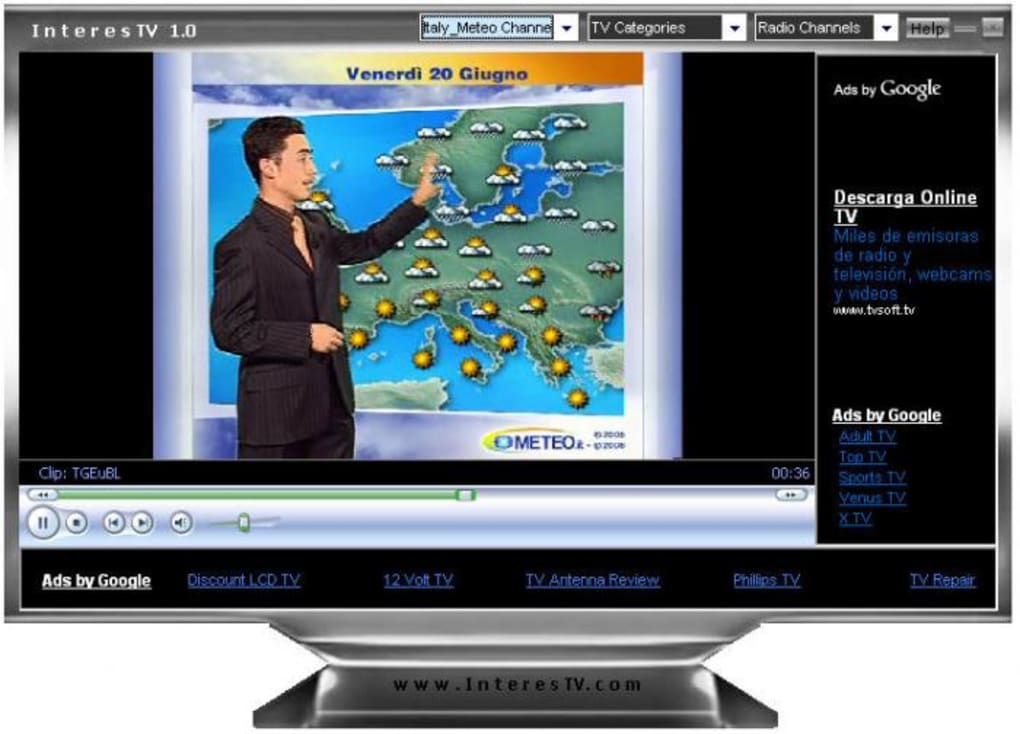
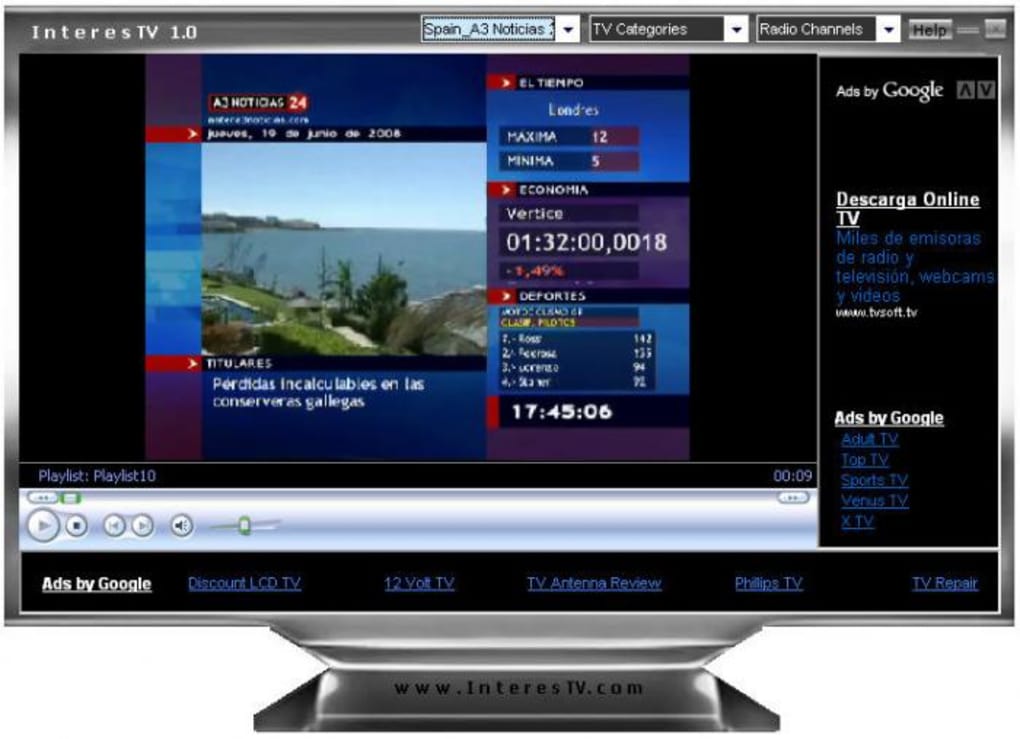
What sets InteresTV apart is its unique interface, designed to resemble a classic TV set—complete with channel numbers, a virtual remote, and a retro aesthetic that adds a nostalgic charm. This visual design enhances the user experience, especially for those who enjoy the traditional TV-watching format. The app supports multiple platforms, including Windows, Mac, Android, and iOS, making it accessible to a broad audience.
Despite its appeal, users should be aware of some drawbacks. The interface, while visually engaging, is cluttered with Google ads, which can be intrusive during streaming. Additionally, the channel list is presented in a long, unstructured dropdown menu, making navigation cumbersome.
However, the sheer volume of available channels often outweighs these usability issues, especially for casual viewers seeking variety.
InteresTV is ideal for travelers, language learners, expats, or anyone curious about global culture. It’s also a great tool for discovering new music, news, and entertainment styles. With regular updates and a growing library, the app continues to evolve. While not perfect, InteresTV remains one of the most accessible ways to experience international broadcasting—free, secure, and easy to download.
Key Features of InteresTV: What Makes It Stand Out
InteresTV isn't just another streaming app—it's a global media hub packed with features designed to enhance your viewing and listening experience. Here’s what makes it a top contender in the free streaming space:
- Over 3,200 Live Channels – Access a vast library of international TV and radio stations from more than 50 countries, including the US, UK, Germany, Japan, Brazil, India, and many more.
- Multi-Platform Support – Available on Windows, Mac, Android, and iOS, allowing seamless streaming across devices, whether you're on a desktop, tablet, or smartphone.
- TV-Style Interface – The app mimics a real television set with numbered channels, a virtual remote, and a retro design that adds authenticity to the experience.
- Free to Use – No subscription fees or hidden costs. All channels are available at no charge, making it a budget-friendly option for global content.
- Regular Updates – The developers frequently update the channel list to include new broadcasts and fix broken links, improving reliability over time.
- Real-Time Streaming – Enjoy live broadcasts with minimal delay, perfect for catching up on news, sports, or cultural events as they happen.
While InteresTV lacks advanced features like recording, bookmarking, or playlist creation, its core functionality is solid. The app focuses on simplicity and accessibility, prioritizing content over complex tools. For users who value variety and ease of access, these features are more than sufficient.
The inclusion of both audio-only radio stations and full video TV channels makes it a versatile choice. Whether you're tuning in for background music or watching a live concert, InteresTV adapts to your needs. With its growing user base and consistent updates, it’s clear that the developers are committed to improving the platform.
While the ad-heavy interface may deter some, the free access to global content remains a major selling point.
How to Install and Use InteresTV on Any Device
Getting started with InteresTV is straightforward, regardless of your device. Whether you're on a Windows PC, Mac, Android phone, or iOS tablet, the installation process is simple and fast. Here’s a step-by-step guide to help you download and begin streaming:
For Windows & Mac Users
- Visit the official InteresTV website or trusted third-party download platforms.
- Click on the Download button for your operating system (Windows or Mac).
- Once the installer file is downloaded, double-click it to begin the setup process.
- Follow the on-screen instructions—no advanced configuration is required.
- Launch the app after installation and allow it to load the channel list.
- Use the virtual remote or channel dropdown to browse and select a station.
- Click on any channel to start streaming instantly.
For Android & iOS Users
- Open the Google Play Store (Android) or App Store (iOS).
- Search for “InteresTV” in the search bar.
- Tap Install and wait for the app to download and install.
- Open the app and grant necessary permissions (e.g., internet access).
- Wait for the channel list to load—this may take a few moments on slower connections.
- Scroll through the long dropdown menu or use the search function to find a specific channel.
- Tap any channel to start watching or listening.
Once running, InteresTV automatically streams content in real time. The app works best with a stable internet connection. For optimal performance, close other bandwidth-heavy apps while streaming. If a channel doesn’t load, try refreshing the list or checking the app’s update history. The developers recommend checking for updates regularly to ensure access to the latest channels and improved stability.
Pros and Cons: Is InteresTV Right for You?
Pros
- Massive Channel Library – Over 3,200 channels from diverse countries offer unmatched variety.
- Free to Download and Use – No cost to access live TV and radio content globally.
- Multi-Platform Compatibility – Works seamlessly on Windows, Mac, Android, and iOS devices.
- Unique TV-Style Interface – The retro design enhances the viewing experience and feels intuitive.
- Regular Updates – Frequent improvements ensure better channel availability and performance.
Cons
- Excessive Ads – Google ads appear frequently, disrupting the viewing experience.
- Unwieldy Channel Menu – The endless dropdown list makes navigation slow and frustrating.
- Lack of Advanced Features – No bookmarking, recording, or playlist support.
- Occasional Channel Failures – Some links may be broken or unavailable due to external server issues.
- No Offline Mode – Streams require constant internet access.
FAQ: Everything You Need to Know About InteresTV
Final Verdict: Why InteresTV Is Worth a Try
Despite its flaws, InteresTV stands out as one of the most comprehensive free tools for accessing international TV and radio content. With over 3,200 channels spanning the globe, it’s an invaluable resource for cultural exploration, language learning, and entertainment. The TV-style interface adds a unique touch, and the multi-platform availability ensures you can enjoy global broadcasts wherever you are.
While the ad-heavy interface and lack of advanced features like bookmarks or recording may be drawbacks for power users, casual viewers will find the app easy to use and highly rewarding. If you're looking to discover new cultures, catch live sports, or simply enjoy music from other countries, InteresTV delivers on its promise.
Download InteresTV today and start exploring the world—one channel at a time. It’s secure, free, and ready to stream on your preferred device. Don’t miss out on this global media experience!







